Velocer › Features › PDF and slides to flashcards
Velocer features
Turn your PDFs and lecture slides into flashcards
Upload your slides, a PDF, a Word file or photos of your notes. Velocer splits it into sections, and makes flashcards from the ones you pick. Every card remembers the page it came from.
Try it free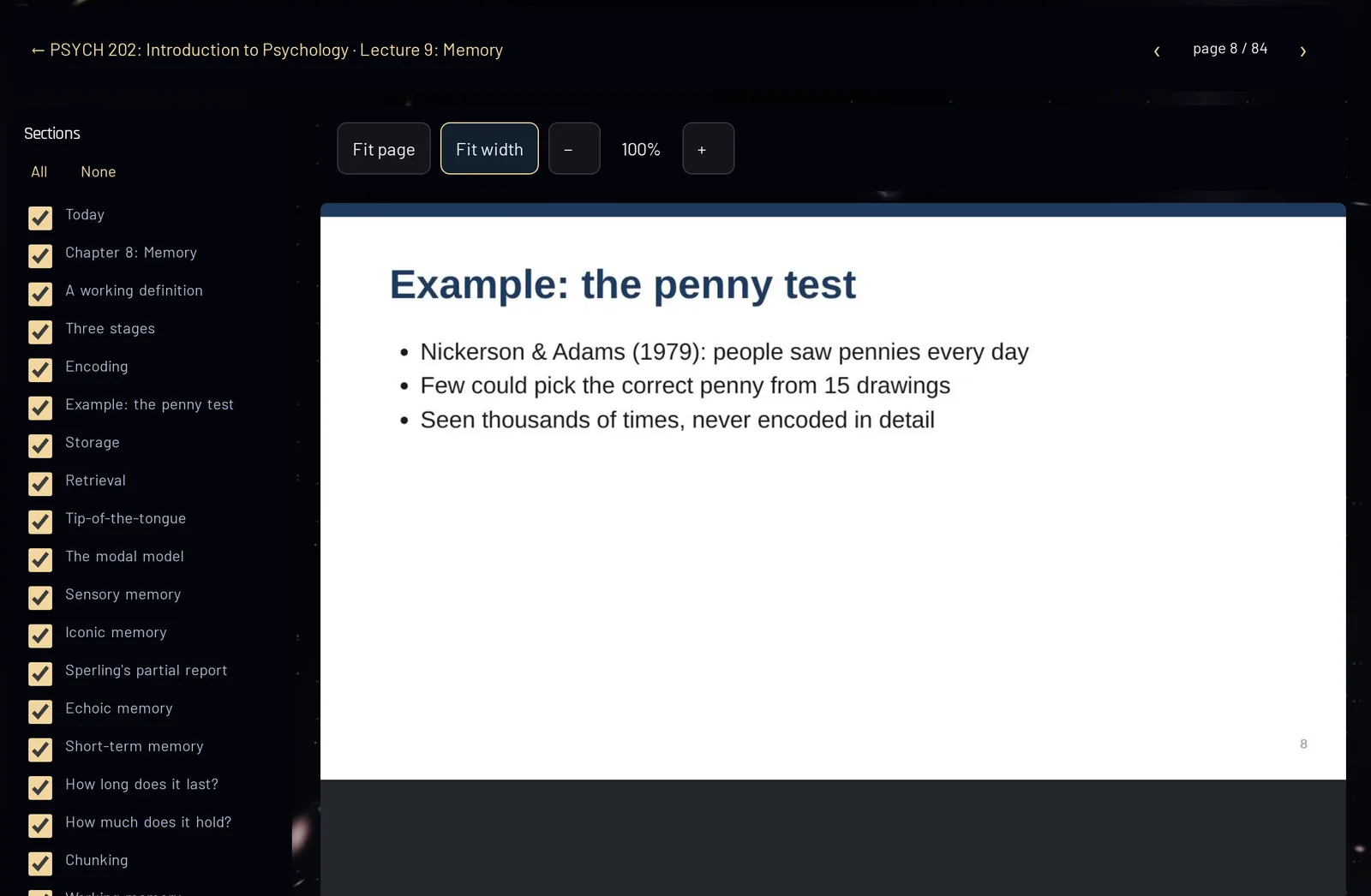
How it works
Add your file to a class
PDF, PowerPoint, Word, EPUB, text or photos of pages, up to 50 MB each. Files sit in their class, sorted by unit, so a whole course lives in one place.

A class with its lecture slides and a lecture recording. Pick the sections on your exam
The reader lists every section of the file. Tick the ones you need and leave the rest; flip through the pages to check what each one covers.
Make the flashcards
Velocer writes cards from those sections. Check them, edit anything, then study them with spaced repetition, games or a practice exam. The same sections can become a study guide.

Make flashcards, Study guide, and the 12 cards made from this lecture.
Who it is for
Anyone with reading to get through: lecture slides before an exam, a training manual for a new job, a certification guide, the chapters of a language textbook, the notes a colleague left behind. If it is a file, it can become cards, and each card keeps the page it came from.
Then study it your way
Your cards go into spaced repetition, five drill modes (ladder, sprint, in context, own words, dictation), five games, a scored practice exam and a study plan paced to your exam date. Study with ambient music and the background you like. Velocer works in any browser and keeps your progress in step across your devices; the iPhone and Android apps are on the way, and the Chrome extension sends a page or a Canvas file straight in.
Free and Plus
- 30 pages a day made into cards
- 24 pages a day made into study guides
- 1 GB for your files
- 500 pages a day made into cards
- 480 pages a day made into study guides
- 10 GB for your files
Questions
- Which files work?
- PDF, PowerPoint (.pptx), Word (.docx), OpenDocument, RTF, EPUB, HTML, Markdown, plain text, and photos of pages (JPG or PNG), up to 50 MB a file.
- What about scanned PDFs?
- Open the file and choose PDF tools › Read the scanned pages. It turns the scans into text, and you can make cards from them like any other file.
- Can I change the cards?
- Yes. Edit or delete any card, or add your own. They are your cards.
- Can I see where a card came from?
- Yes. Each card keeps the slide or page it was made from, one tap away in the card's menu, so you can go back to the source when an answer looks off.
- Is it free?
- Yes, up to 30 pages a day. Plus is $9.99 a month or $59.99 a year. It raises that to 500 pages a day.
More you can do with your material
Decks to start with
Not ready to upload anything? Flashcard decks shared by learners: course decks by school, such as UW–Madison, and language flashcards by topic with example sentences, from Spanish and Japanese to Bengali and Swahili. For what the research says about studying, read Atlas Nova.