Velocer › Features › Syllabus to study plan
Velocer features
Turn your syllabus into exam dates and a study plan
Add your syllabus to a class, or paste your Canvas calendar link. Velocer finds the exams and due dates, shows you the line each one came from, and puts the ones you pick on your calendar as study goals.
Try it free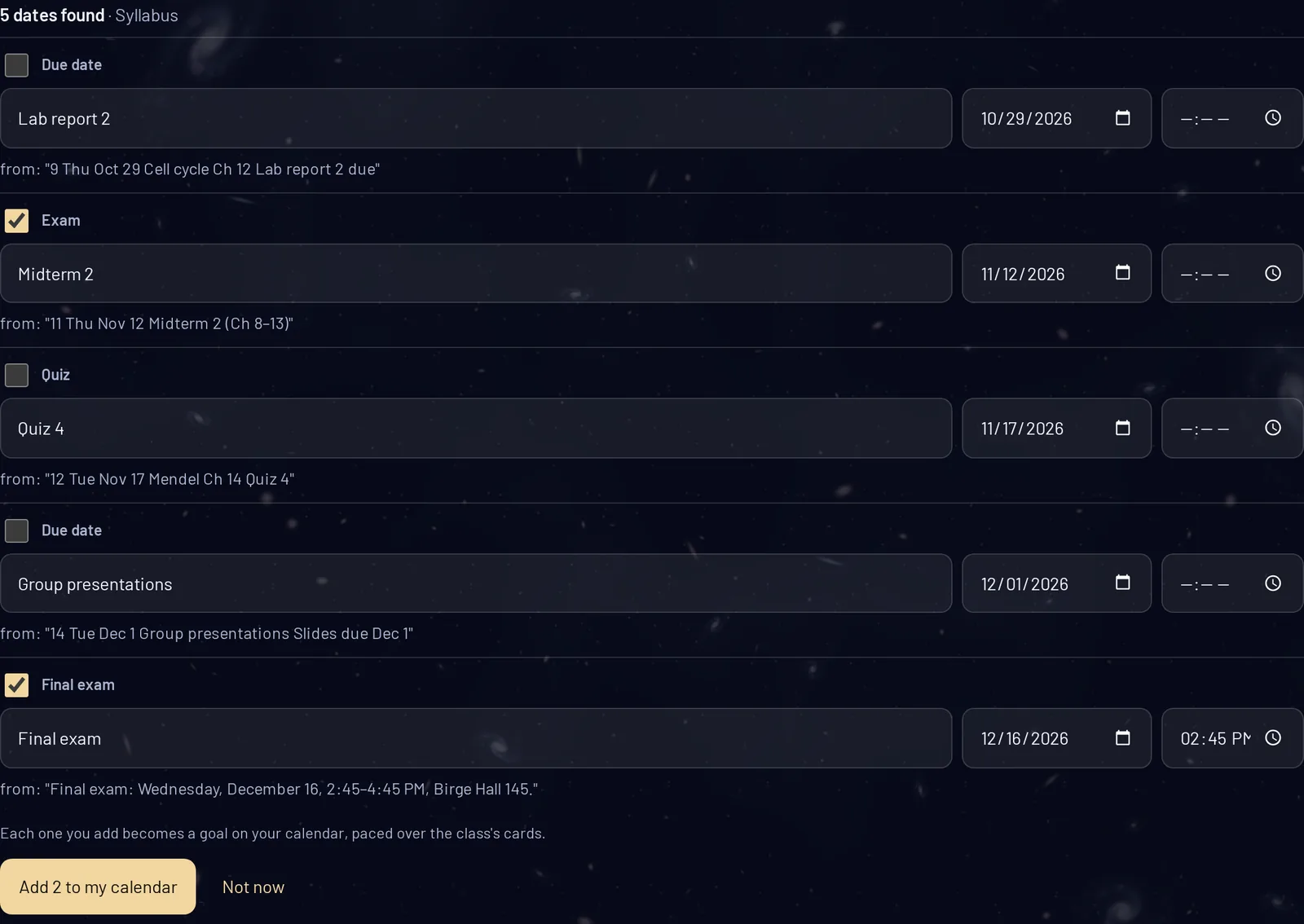
How it works
Add your syllabus
Upload the syllabus to its class like any other file and Velocer offers to find the dates. Or paste your Canvas calendar link instead.
Check what was found
Every exam, quiz and due date is listed with the syllabus line it came from. Untick what you don't want, fix a title or a date. Nothing is saved until you press Add.
Get a plan to the date
Each exam you add becomes a goal on your calendar, and your daily plan paces the class's cards so you have seen them all before the day.
Who it is for
Anyone whose dates live in a document: a course syllabus, a training schedule, an exam board's calendar, a Canvas course. Velocer reads the dates once, shows you where each came from, and paces the cards so you have seen them all before the day.
Then study it your way
Your cards go into spaced repetition, five drill modes (ladder, sprint, in context, own words, dictation), five games, a scored practice exam and a study plan paced to your exam date. Study with ambient music and the background you like. Velocer works in any browser and keeps your progress in step across your devices; the iPhone and Android apps are on the way, and the Chrome extension sends a page or a Canvas file straight in.
Free and Plus
- Finding dates and adding goals is free
- Works with PDF and Word syllabi and Canvas links
- Everything in Free
Questions
- Which syllabi work?
- A PDF or Word syllabus with the dates written in it, as a schedule table or as text.
- How do I use my Canvas calendar?
- In Canvas, open Calendar and copy the Calendar Feed link. Paste it in Velocer. The link is read once and not kept.
- What if a date is wrong?
- Fix it before you add it. Each date shows the syllabus line it came from, so you can check.
- Is anything added without me?
- No. You see the list first, and only the dates you tick are added when you press Add.
More you can do with your material
Decks to start with
Not ready to upload anything? Flashcard decks shared by learners: course decks by school, such as UW–Madison, and language flashcards by topic with example sentences, from Spanish and Japanese to Bengali and Swahili. For what the research says about studying, read Atlas Nova.